My Maps
The My Maps tab on the home page keeps every map you've created or opened within easy reach, a running list kept in your browser rather than on OnRouteMap's server.
How maps end up in the list
You don't have to add anything yourself. Any map you create gets added, and so does any map you open, including one someone else sent you. If a map isn't already in your list, opening it once puts it there.
What you can do with an entry
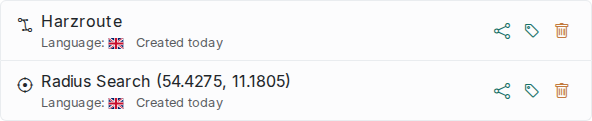
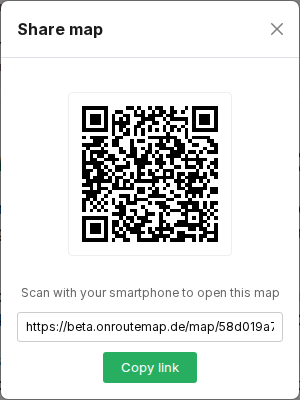
Each entry links straight to its map. Next to it you'll find a Share button that opens the same QR code / copy-link popup as the one on the map itself, so you can hand that map to someone else without opening it first. There's also a tag button: click it to open an inline editor showing your existing tags as clickable chips, so tagging a second map with one you've already used is a single click, plus a + New Tag chip that expands into a text field for anything new. Tags show up underneath the entry as small colored badges, color-coded consistently by name, and clicking one removes it again (with a quick confirmation first). A Remove button takes the entry off your list after a confirmation prompt, though it only removes it from your list; the map itself stays on the server.
Once you've saved more than ten maps, two things kick in to keep the list manageable: a Show more / Show all control so it doesn't get unwieldy, and a search box that filters by title or tag as you type.
Two things worth knowing
This list lives in your browser's local storage, tied to that specific browser and device. Clearing your browsing data, or switching to a different browser or device, loses it, so use Share beforehand if you want to keep access to a map elsewhere.
Maps are also deleted from the server after 6 months (see Limits & troubleshooting). Once that happens, the entry disappears from this list too, since it can no longer be opened.